Connectors: Give your agents the access they need.
You choose the apps, accounts, and actions available to each agent.


Introducing Connectors in Paperclip
Paperclip Connectors let you connect AI agents to Gmail, Google Calendar, GitHub, and the other apps your team uses. You choose which accounts each agent can access and which actions it can take.
Connecting your apps shouldn’t mean giving every agent access to everything. Your sales agent may need its own inbox, but not yours. Your chief of staff may need your email and calendar, but not GitHub. And access to an app shouldn’t automatically include permission to use every action in it.
Choose who can use each connection
Open Connectors in the sidebar, choose an app, and connect an account. During setup, choose whether access is just for you or shared with other users in your Paperclip organization. Separately, choose which agents can use the connection: selected agents or all agents.

Real Paperclip UI, fictional data. Open full-size animation ↗ · MP4 version ↗
Give each agent the right inbox
You can connect multiple accounts for the same app. Give your sales agent a dedicated Gmail account to prepare outreach and read replies from prospects. Connect your own Gmail account separately so your chief of staff can read incoming messages and draft replies for you to review.
Each account has its own connection. You choose which agents can use it and which actions are available through it.
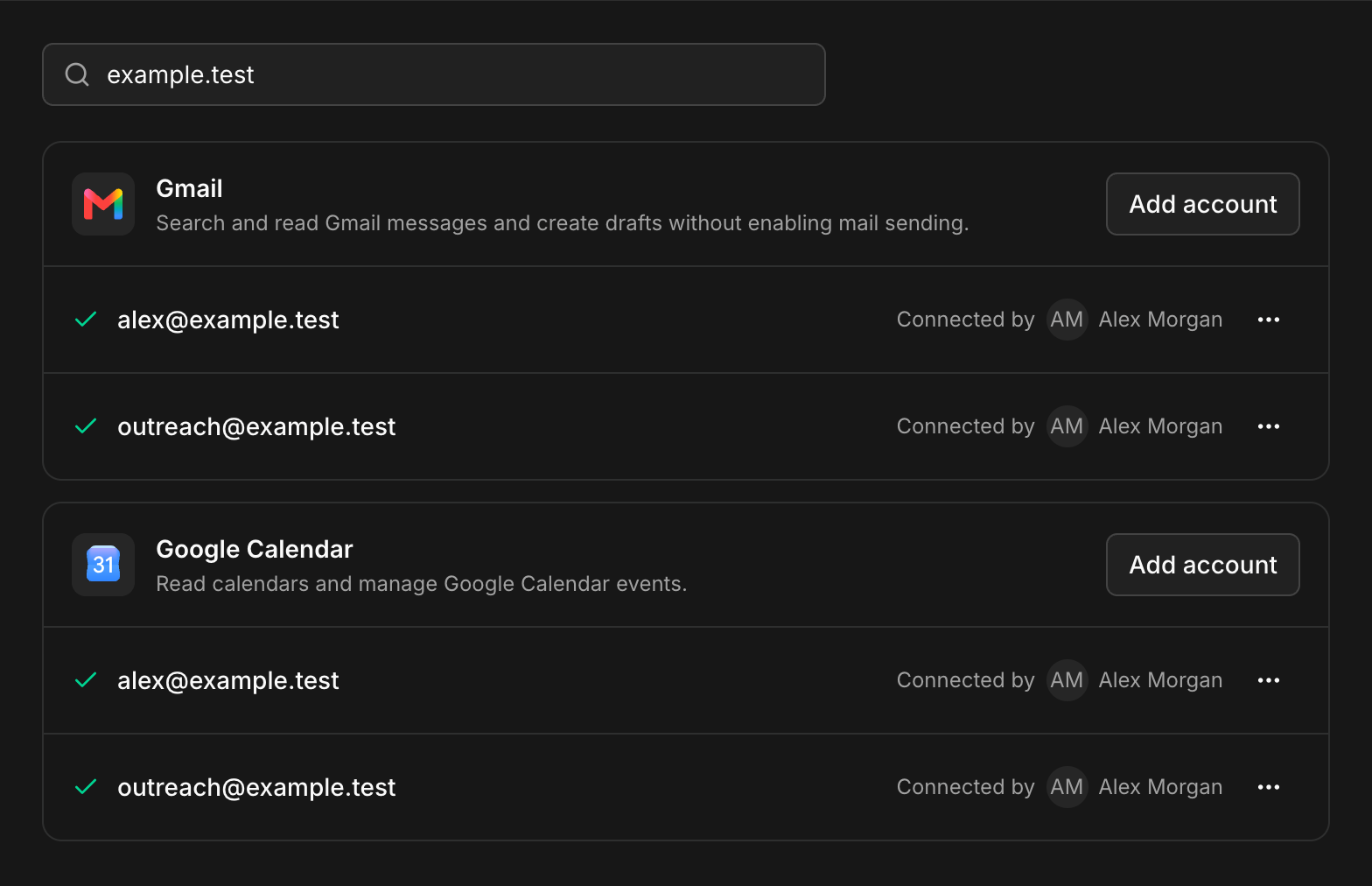
Real Paperclip UI, fictional account states; not a live connection test. Gmail supports reading and drafts, not sending.
Choose which actions agents can take
An agent may need an app without needing every tool in it. Each connection lists its available actions, with three permission settings:
- Allowed: the agent can run the action without asking.
- Ask first: a person must approve the action before it runs.
- Off: the action isn’t available through that connection.
For example, you could allow an agent to open pull requests through its GitHub connection while keeping the merge action off.
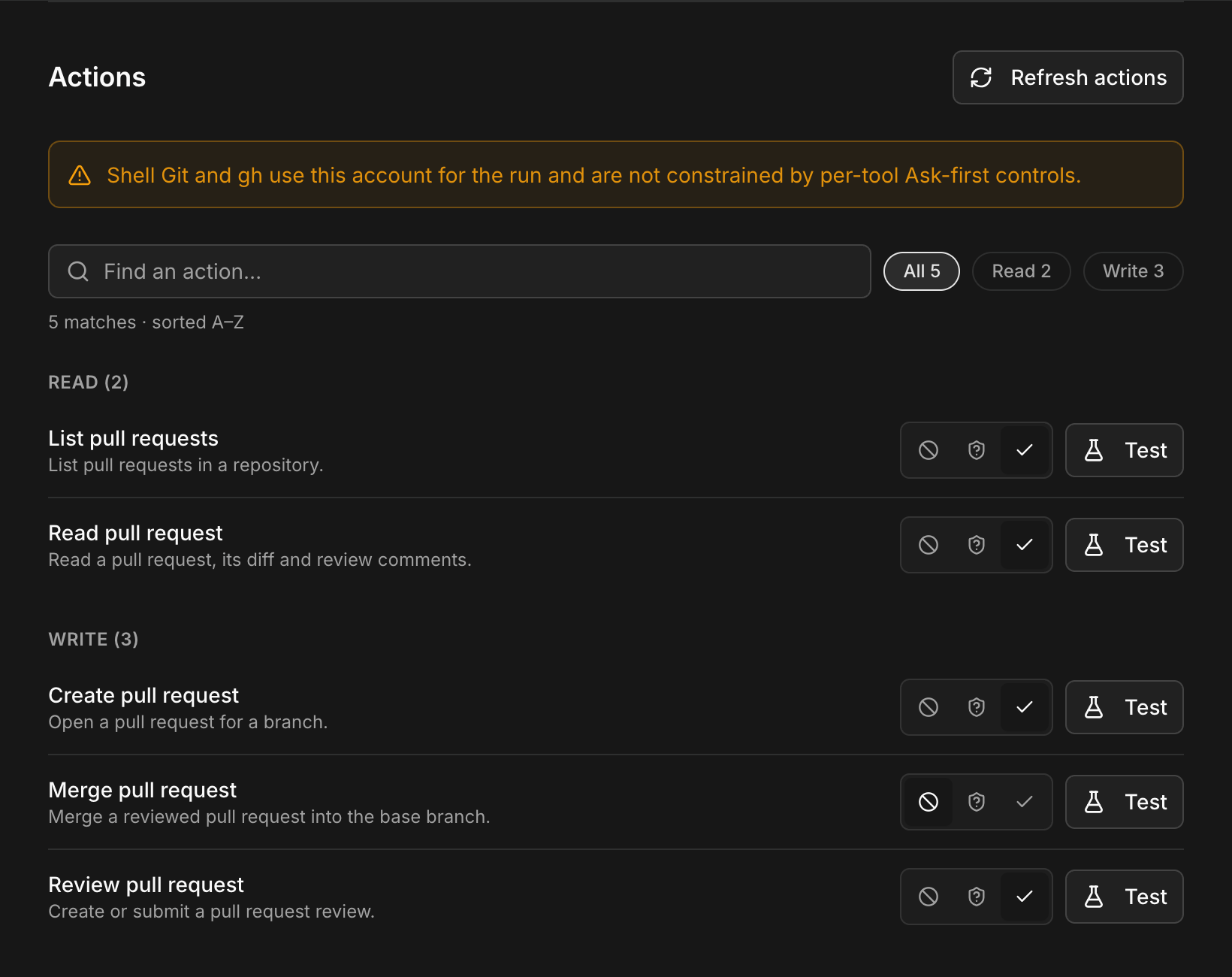
Real Paperclip UI, fictional data. These per-tool Ask-first controls do not constrain shell Git or gh. Open full screenshot ↗
Review requests in one place
When an agent requests an action set to Ask first, it appears in the Review queue. See what the agent wants to do, then approve or decline the request.
You decide where approval is needed. Actions set to Allowed can proceed without a review.
Get started
Connectors is available to all users on the latest version of Paperclip. Update Paperclip, open Connectors, and choose an app. Set account access and action permissions, then give your agent a task that uses the connection.