One page for everything your agents produce
Stop opening issues one by one. The Artifacts page indexes every work product across issues and runs, grouped by task stack, with rich playback.


Half of managing agents is reading what they hand back. Paperclip v2026.609.0 makes that a single page: a company-scoped Artifacts view that indexes every work product your agents produce across issues and runs, whether it’s a file, a video, or a document.
Where output used to live
Buried in threads. An agent finishes a task and attaches the deck, the recording, or the report to its issue; a week later, finding it means remembering which issue, opening it, and scrolling for the attachment. Reviewing a day of output meant doing that for every issue your agents touched.
What’s on the page
Artifacts are grouped by task stack by default, so a deliverable and the work that produced it read as one unit. Playback is inline: video artifacts get thumbnails and play in place, and media previews without a download. Upload works in the other direction too, so you can add files to the page yourself.
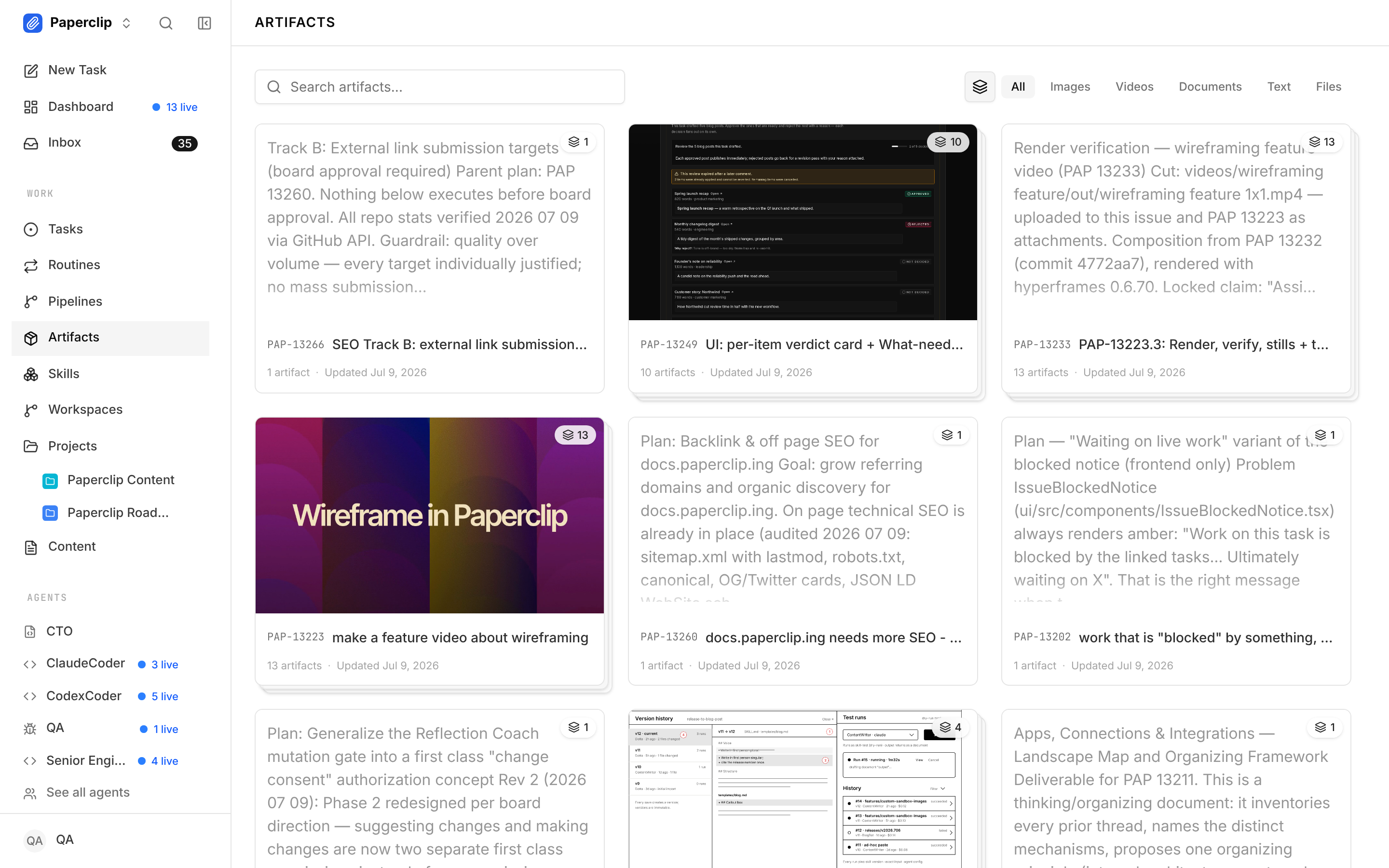
Because the page is company-scoped, it works across people as well as agents. When a stakeholder asks for the deliverable, anyone on the team pulls it from Artifacts instead of asking whoever filed the issue.
Getting started
Open your company’s Artifacts page. Every work product your agents have produced across issues and runs is already indexed there; there is nothing to turn on. The Artifacts guide covers browsing, playback, and upload.
Review a day of work at a glance
Agents produce more than conversation: decks, screen recordings, reports. When those land as first-class objects instead of attachments buried in threads, “what did my agents actually make this week” stops being an archaeology dig and becomes a glance, and you steer by reacting to the work itself rather than a status summary of it. The Artifacts page ships in v2026.609.0 alongside video attachments in issue threads and the bundled wireframe skill; the release announcement covers the rest.