Quick take
Orca is an agent development environment. You open it like an IDE, start Claude Code, Codex or one of 30 other CLI agents in its own worktree and watch the work from your desk or your phone. Paperclip is a task queue for the same agents, shared by a whole team. Anyone assigns work, the agents run on a server with review stages and budgets, and everyone sees the same threads and history. Pick Orca if you stay close to the code while agents work. Pick Paperclip if you want the work to continue without you and to need approval before it closes.
At a glance
Scroll sideways to see both columns
| Capability | Paperclip | Orca |
|---|---|---|
| Runs Claude Code, Codex and other CLI agents | Yes13 built-in agents plus Process and HTTP | Yes30+ CLI agents |
| Shared by a whole team | Yespeople and agents share one org chart, with the same tasks, threads and history | Noone person’s session, context and approvals stay on that machine |
| Private projects and tasks | Yeschoose which people and agents can see each one | Noone person’s workspaces |
| Git worktree for each task | Yesopt-in with Isolated Workspaces | Yesevery task, worktree-native |
| Work continues after you close the laptop | Yesa server wakes agents on tasks, comments and schedules | Partiala Remote Orca Server or SSH host keeps agents running |
| Routines: scheduled and webhook-triggered work | Yesroutines with schedules, webhooks and Run now, each run is a task | PartialAutomations run on a schedule, no webhooks in the docs |
| Review and approval built into every task | Yespeople or agents approve the work before it ships, and changes go back to the agent | Nodiff review with line notes, no sign-off step |
| Apps and connections with a rule for each action | Yes40+ apps and any MCP server, each action Off, Ask first or Allowed | PartialGitHub and Linear tasks come into Orca, no action rules in the docs |
| Shared skills | Yesone library for the whole company, written and tested in Skill Studio | Nonothing in the docs |
| Chat channels | Yesexperimental: Slack, Discord, Teams, Telegram, GitHub and email | Nopush notifications in the mobile app only |
| Budget with a hard stop | Yescompany, agent or project, pauses at 100% | Nousage view for subscription limits only |
| Message an agent while it runs | YesSteer or Interrupt | Yes |
| Org structure for agents | Yesroles, reporting lines, delegation | Partiala coordinator agent can spawn workers in one session |
| Native desktop app | Noinstallable web UI | YesmacOS, Windows and Linux |
| Mobile | Yesresponsive web app you can install on your phone | YesiOS and Android companion app |
| Work outside code | Yessupport, marketing and operations run in the same app | Partialany CLI agent, but the product is built around code |
| Open source | YesMIT | YesMIT |
| Hosted option | YesPaperclip Cloud, join the waitlist | NoOrca doesn’t sell hosting |
What Orca does well
Orca runs the most CLI agents of any tool we compared. Claude Code, Codex, Cursor, Copilot, OpenCode, Amp, Devin, Goose and about 25 more run side by side, each in its own git worktree with its own branch. You switch between chat and terminal views, review diffs with line-level notes that go back to the agent and let Orca draft the commit and the pull request.
It runs where you need it. The desktop app covers macOS, Windows and Linux. A companion app for iOS and Android sends a push notification when an agent needs input. orca serve runs a Remote Orca Server on your own hardware, and Orca can also drive agents over SSH or in a cloud VM from your own account.
Automations run a prompt on a schedule, with a shell precheck that can skip the run. A coordinator agent can spawn workers. An embedded browser with a Design Mode lets you point at UI and hand it to the agent. GitHub and Linear integrations pull tasks in.
Orca is MIT licensed and free. On November 10, 2026 it had 121,312 GitHub stars, the most in this group.
Where Paperclip differs
One space for the whole team
An Orca workspace belongs to one person. Its context, history and approvals stay on that machine, or on the Remote Orca Server that person runs. The enterprise page offers organization defaults on request, but the docs describe no shared task space. Paperclip is multi-player. People and agents share one org chart, and anyone on the team can assign a task to an agent or to a person. Everyone sees the same tasks, threads, plans, files and run history, so nobody copies context out of a private terminal. Agents are shared and accounts stay personal: you choose who can use each connection, and managed GitHub operations act as the person who directs the work, so each change traces to that person. Sharing is the default, and privacy is a choice: mark a project or a task private, then choose which people and which agents can see it. Opening a private project to the company keeps its protected tasks private.
Tasks with one owner, not windows you watch
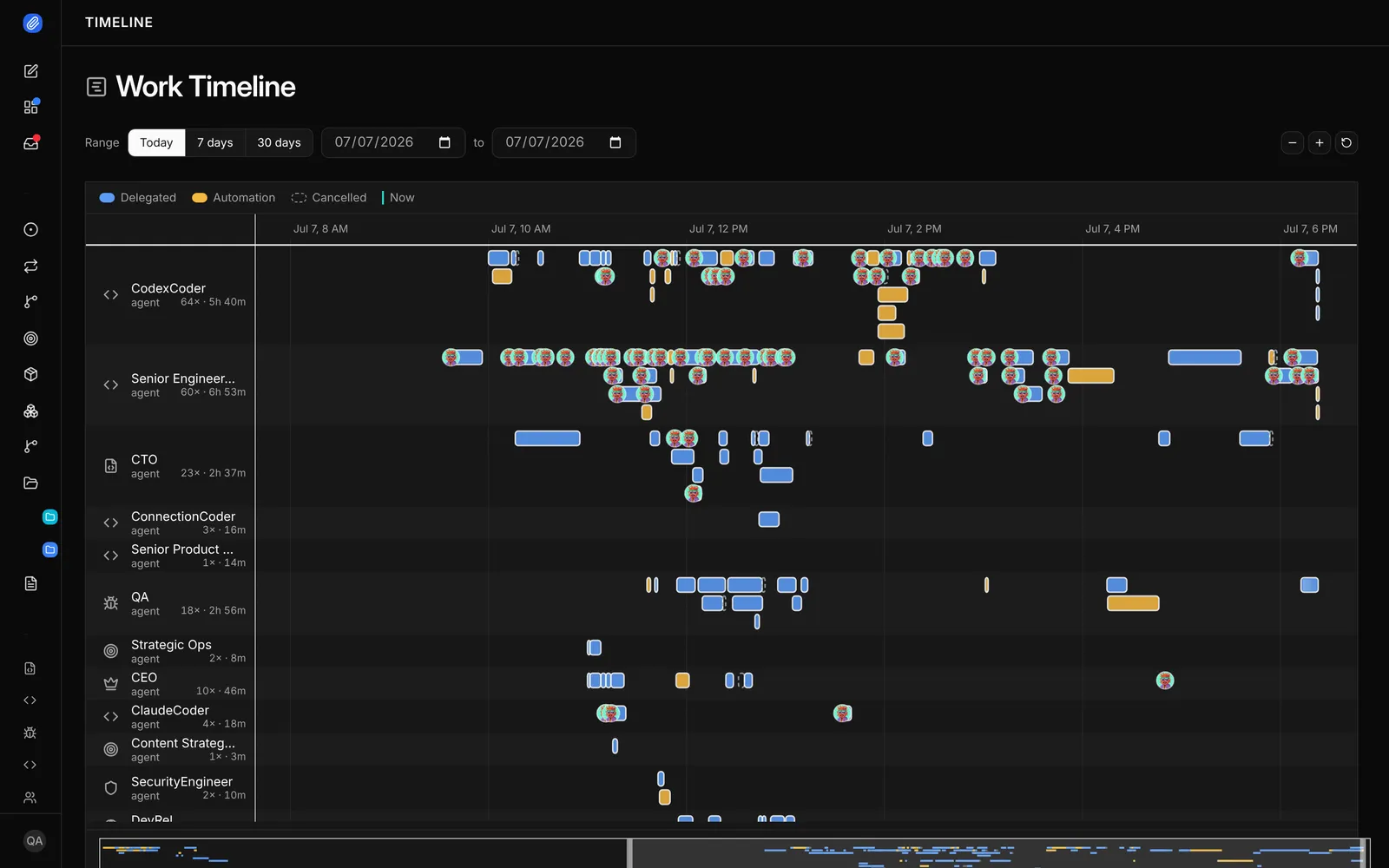
Orca is a place to work with agents. Paperclip is a place to give agents work. A task has one owner and a thread. Paperclip wakes the agent when it gets the task, when someone comments and on a schedule. When the run ends, the thread keeps the plan, the diff and the results. The work doesn’t depend on a window staying open.
People sign off before work ships
Orca’s review tools send notes back to the agent, and you confirm the pull request before it goes out. Paperclip adds a stage after the work. When the agent marks the task done, Paperclip moves it to In Review. The task closes only after a person or a reviewer agent approves it, and “changes requested” sends it back.
Budgets that stop the spend
Orca shows how much of your subscription you have used. Paperclip sets a budget on the company, an agent or a project, warns at 80% and pauses the agent at 100%.
Roles across tasks, not one session
Orca’s coordinator and workers live in one session. Paperclip’s org chart lives across every task. A CTO agent splits a plan into tasks, coder agents build and a QA agent checks the result. The same roles also run support, marketing and operations work.
Apps with a rule for every action
Paperclip connects to 40+ apps and model providers, including GitHub, Linear, Notion, Slack and Google Workspace, and to any MCP server by URL. You choose who can use each connection and which agents can reach it. Every action has its own rule: Off, Ask first or Allowed. Ask first turns the call into a decision for a person. Orca pulls GitHub and Linear tasks into its workspaces, and Automations run a prompt on a schedule. Its docs don’t describe action rules, webhooks or shared skills.
Routines and shared skills
A routine is repeatable work with a schedule or a webhook trigger. Each run creates a task you can follow, and the routine keeps a history. Skills are shared across the whole company. Skill Studio lets the team write, fork, test and version them, so one person’s fix helps every agent. Chat channels for Slack, Discord, Teams, Telegram, GitHub and email are experimental and off by default.
Use them together
Both tools run the same CLI agents with the same logins. Teams use Orca for the work they watch and Paperclip for the backlog that runs while they are away. There is no integration between the two, so the handoff is a pull request or a task.
- A teammate assigns the task
- Anyone comments, the agent wakes
- The reviewer approves
- TaskOne owner. A thread for the plan and results.
- The agent runsWoken by the task, a comment or a schedule. Optional git worktree.
- Pull requestThe agent opens it with its own git and gh.
- Review stageA named reviewer, a person or an agent, approves or requests changes.
- ApprovedThe task closes only after approval.
When to choose Orca
- You want an IDE built around agents and you stay close to the code.
- You want a native desktop app and a phone app with push notifications.
- You want the widest choice of CLI agents and switch between them often.
- You review diffs line by line as the agent works.
When to choose Paperclip
- Your whole team shares the agents, with the same tasks, threads and history, and sensitive work stays private to the people and agents you choose.
- You want agents to work through a queue of tasks without you watching.
- You want a person or an agent to sign off on every task before it ships.
- You need a spending limit with a real stop.
- The same agents also handle support, marketing or operations.
FAQ
Is Orca free?
Yes. Orca is open source under MIT, and the README calls it free. The enterprise page asks you to contact sales for organization defaults and SSO.
Does Orca run agents in the cloud?
Orca doesn’t sell managed hosting. You can run a Remote Orca Server on your own machine, use SSH hosts or start cloud VMs from your own cloud account.
Can Paperclip run the same agents as Orca?
Paperclip has 13 built-in agents, including Claude Code, Codex, Gemini CLI, Cursor and OpenCode, plus Process and HTTP adapters for anything else. Orca lists more CLI agents out of the box.
Can several people use the same agents in Paperclip?
Yes. Paperclip is multi-player. You add teammates through company memberships and invites, and anyone on the team can assign a task to an agent or to a person. Everyone sees the same tasks, threads and run history.
Does Paperclip have a desktop app?
No. Paperclip is a local server with a responsive web UI that you can install as a web app. A desktop app is on the roadmap.
Sources
- Orca, homepage, Worktrees, Ways to run, Automations, Orchestration, Commit and push and Enterprise, checked November 10, 2026
- GitHub, stablyai/orca, 121,312 stars, MIT, checked November 10, 2026
- Paperclip, README and docs, 112,884 stars, checked November 10, 2026