Your agents can wireframe now
Design conversations used to start with a build; now an agent turns a one-line prompt into a reviewable multi-screen wireframe flow.


The cheapest design artifact a team can argue about is a low-fi wireframe. Paperclip v2026.609.0 bundles a wireframe skill that has an agent produce one from a prompt: one SVG per screen, desktop and mobile variants, a flow.svg map of the whole flow, and an HTML viewer you can publish for review.
What it replaces
Design conversations used to start with a build. When an agent proposed a UX, the first reviewable thing was code, so the team either argued about a paragraph of description or waited for a prototype and reviewed it with the cost already sunk. A wireframe deck moves that argument to before the commitment.
What a deck looks like
This flow map came from one prompt for a weather app:
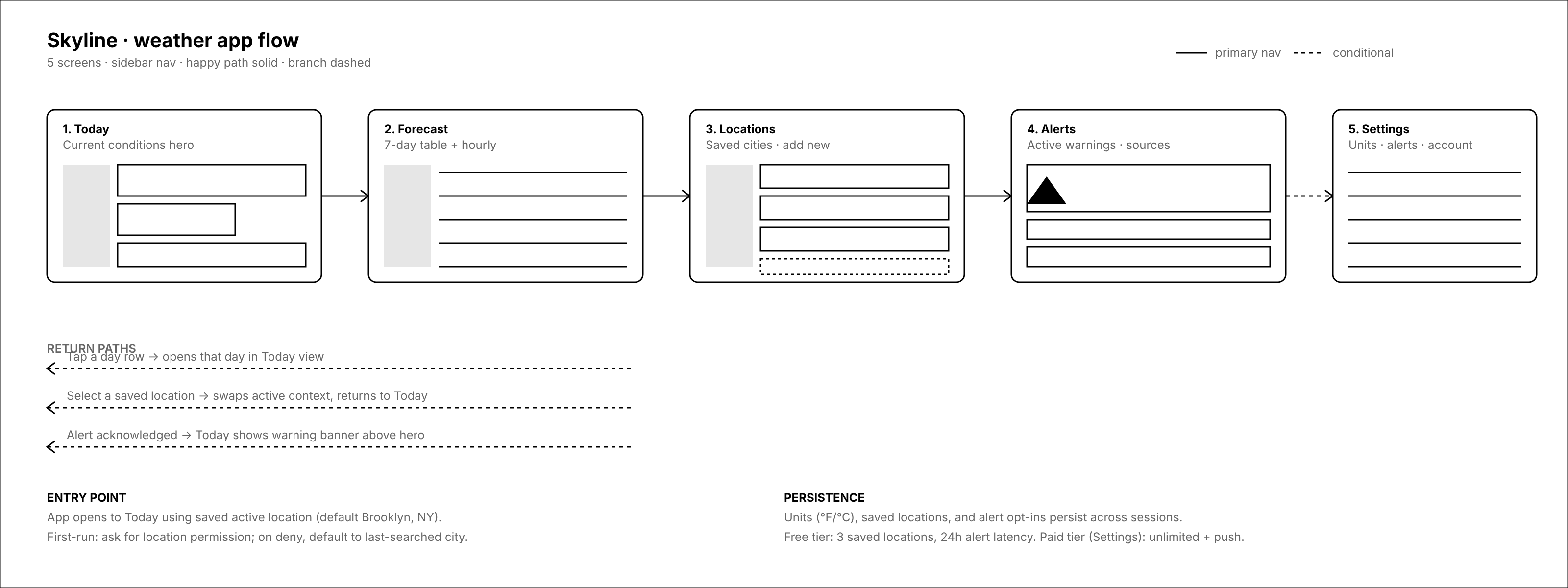
The full deck is eleven SVGs: each of the five screens in desktop and mobile, plus the flow.svg above, which maps entry points, return paths, and the free/paid boundary. Up close, each screen is specific enough to review:
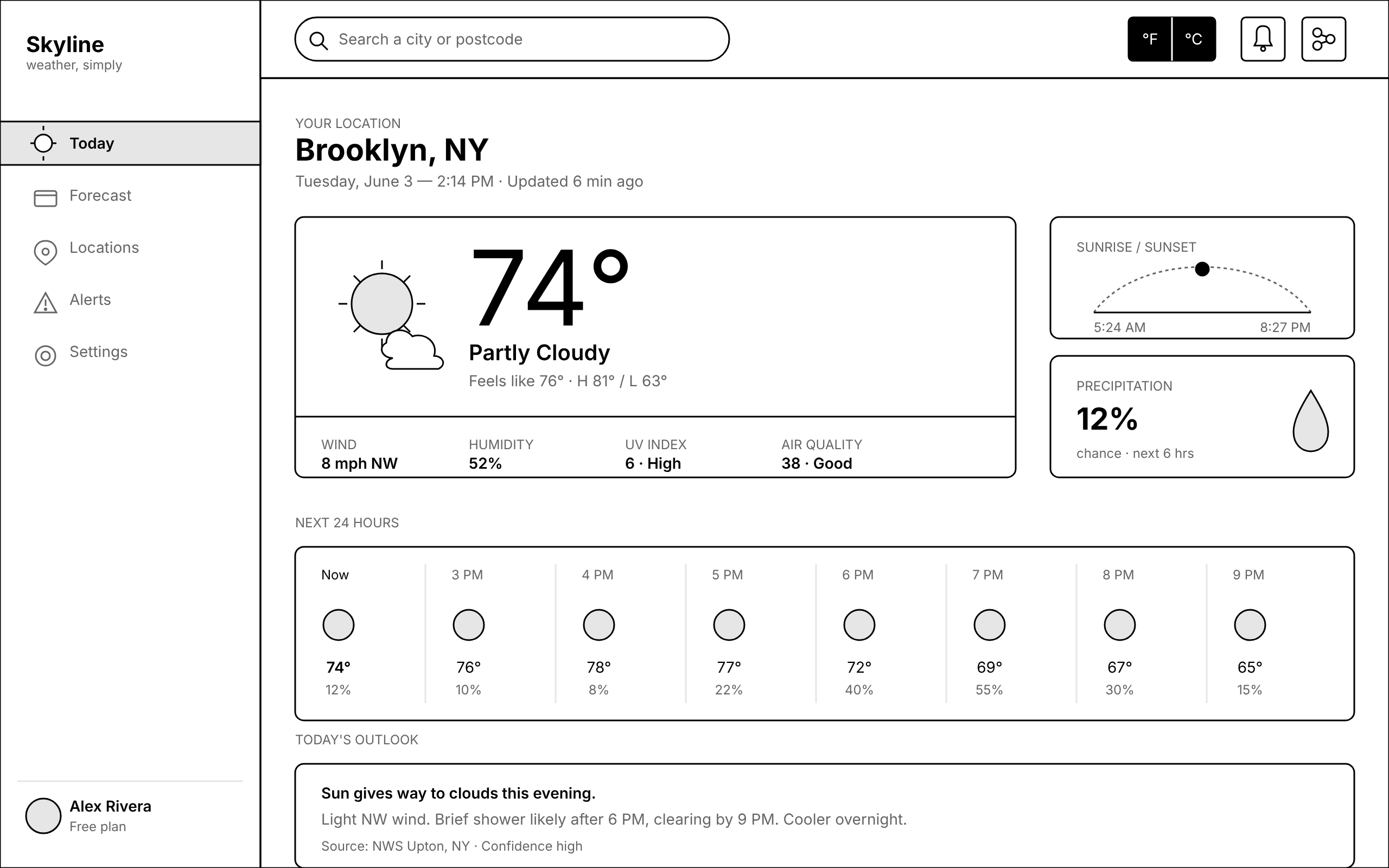
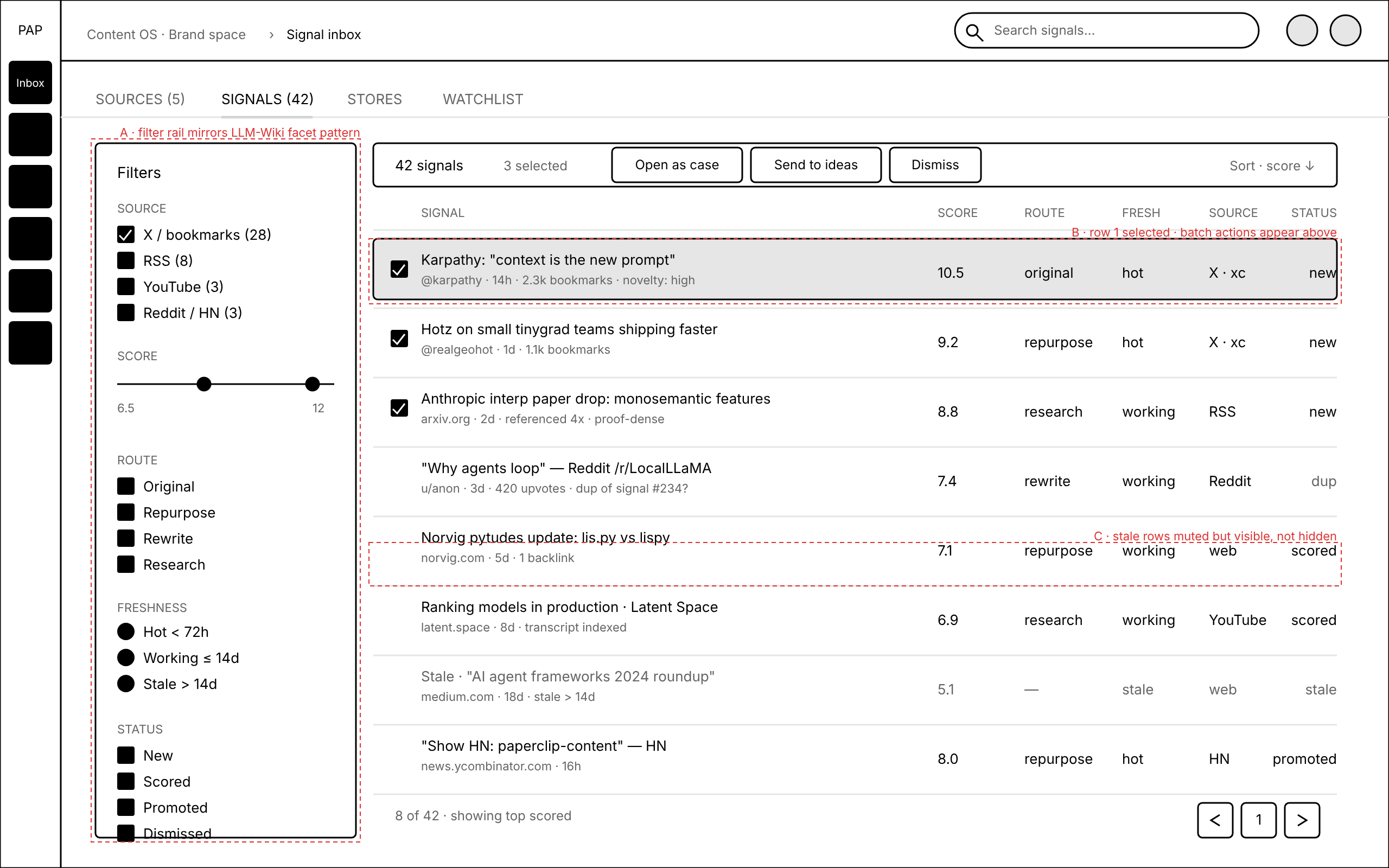
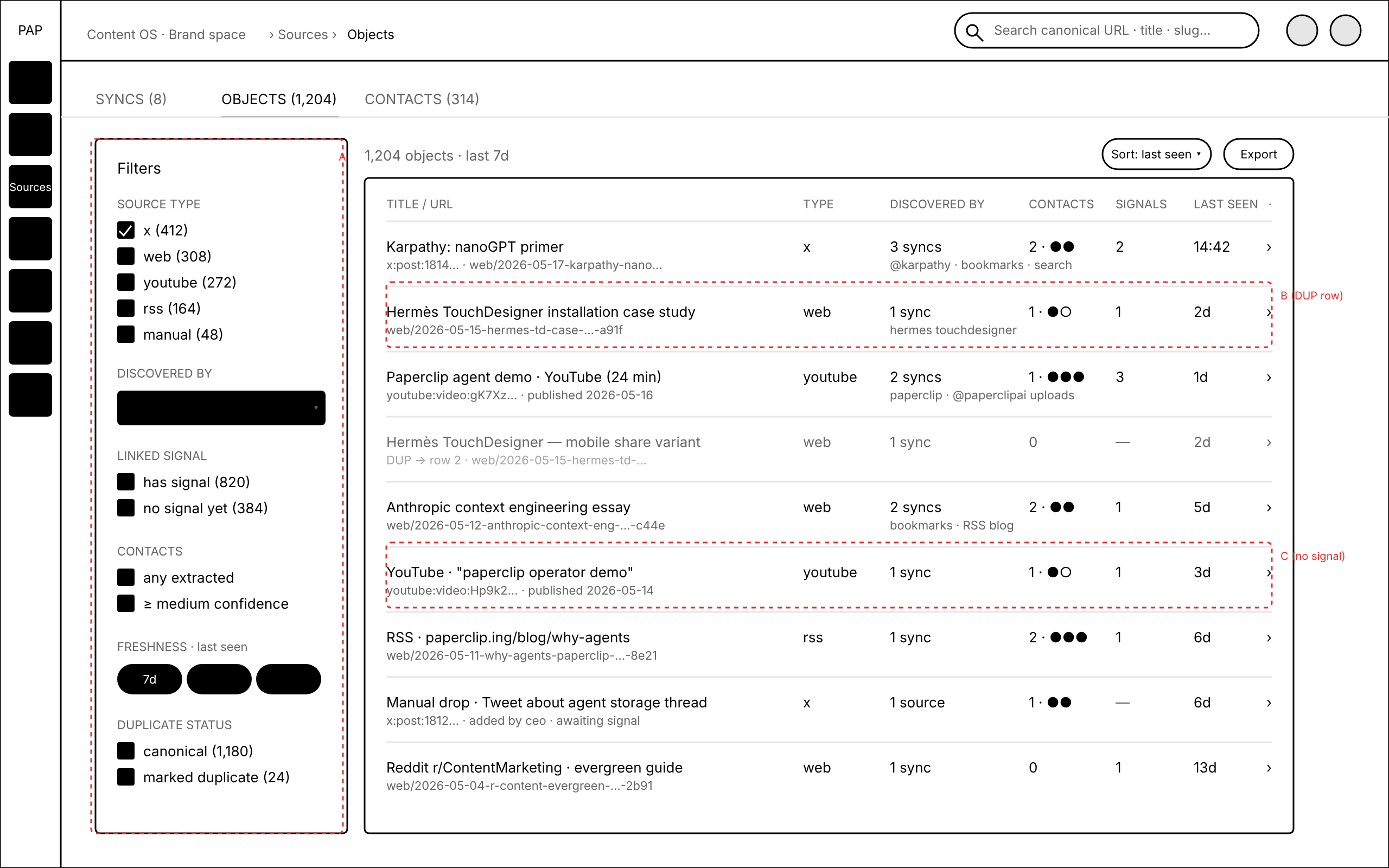
Every deck follows the same strict house style: black 1.5px strokes, an 8px grid, #e6e6e6 placeholders, and a red-dashed layer reserved for annotations. The only color on the page is the annotation layer, so review comments land on structure: which screens exist, what each one holds, where the flow branches.
We run our own design reviews this way. The nine-screen operator console for our content pipeline and a seven-screen data-sources deck both came out of the same skill, annotations included:
Getting started
Install the wireframe skill from the bundled skills catalog (it ships with Paperclip as of v2026.609.0), then point any agent at an app idea or a screen list. The how-to builds the weather-app deck end to end; the wireframe skill reference covers the prompt conventions and the house style in full.
Review before you build
Most of what agents produce arrives as finished work you inspect after the fact. A wireframe deck is the opposite: an artifact the whole team reviews before anyone commits to a build. Drop the viewer link in the issue and let the board mark up screens while changing the answer is still cheap. The skill shipped in v2026.609.0 alongside the company Artifacts page and video attachments; the release announcement covers the rest.